What is Text Extraction? Here is What You Need to Know
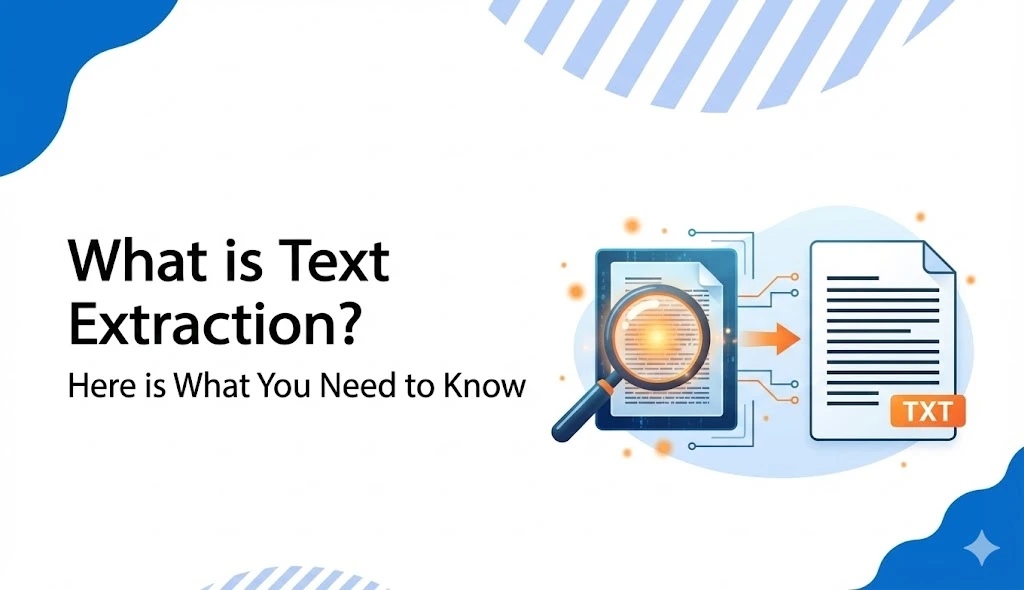
Converting text from scanned PDFs, documents, or images into simpler editable file formats is called Text Extraction. It is a process where information is extracted from unstructured data into a meaningful digital document. Nowadays, Text Extraction is being widely used in multiple industries worldwide, from healthcare, banking, and finance to legal & logistics departments.
The rise in the usage of this technology has significantly reduced the hassle of manual work, minimised the time consumption, and made the processes more efficient. Let’s have a look at what the text extraction process is, how it works, and what technologies and tools it uses to digitise important files!
What is Text Extraction? Explained in Simple Terms
Text Extraction is the retrieval of specific information from a bulk of data, saving you the time and hassle of manual text extraction. Using reliable text extractor software, such as OCR or NLP, businesses convert their complex data files into a text-based format instantly without any human errors.
For example, a bank receives hundreds of loan applications every month. Without going through all the files, staff can quickly extract customer data, including names, addresses, or income details via text extraction tools, making the process much smoother and efficient.
Difference Between Text Extraction and Text Mining
Although text extraction and text mining are similar, they’re not exactly the same. Text extraction focuses on pulling out specific text from an image, such as names, dates, addresses, or more.
For instance, if you have an image containing contextual data and you want to compile that in an Excel sheet, text extraction tools are the best to retrieve all this data in a few seconds. You can edit, organise, and find any information without needing manual assistance.
Text mining, on the other hand, refers to analysing and extracting sentiments based on customer reviews, trends, patterns, or insights. It analyses the emotions of people as per their positive, negative, or neutral responses.
How Text Extraction Tools Work? Extracting Text from Images
Extracting text from a scanned image file or document is now much easier than ever. Using an online text extractor tool, you can quickly capture and isolate text from an image. These text extraction tools use OCR technology to pull out all the textual data accurately from the scanned image files.
Below are the essential steps you take to retrieve any contextual data through these image-to-text extractor tools:
- Go to Google and search for ‘Text Extraction Tools’ or use our website to extract text from an image.
- Click on the ‘Browse File’ or ‘Upload File’ option to select the image from your device.
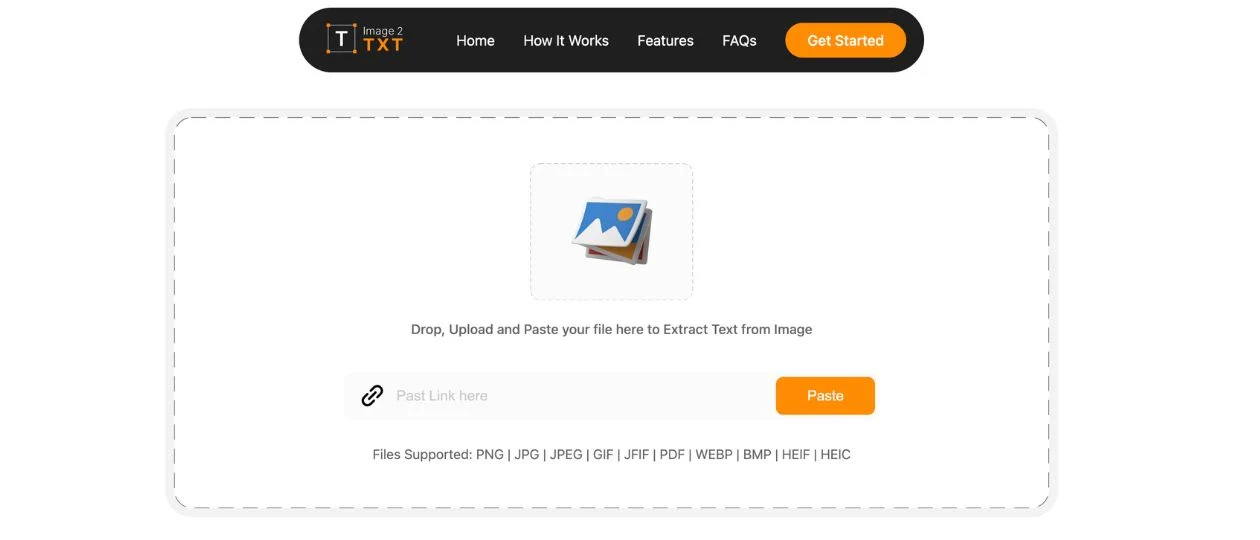
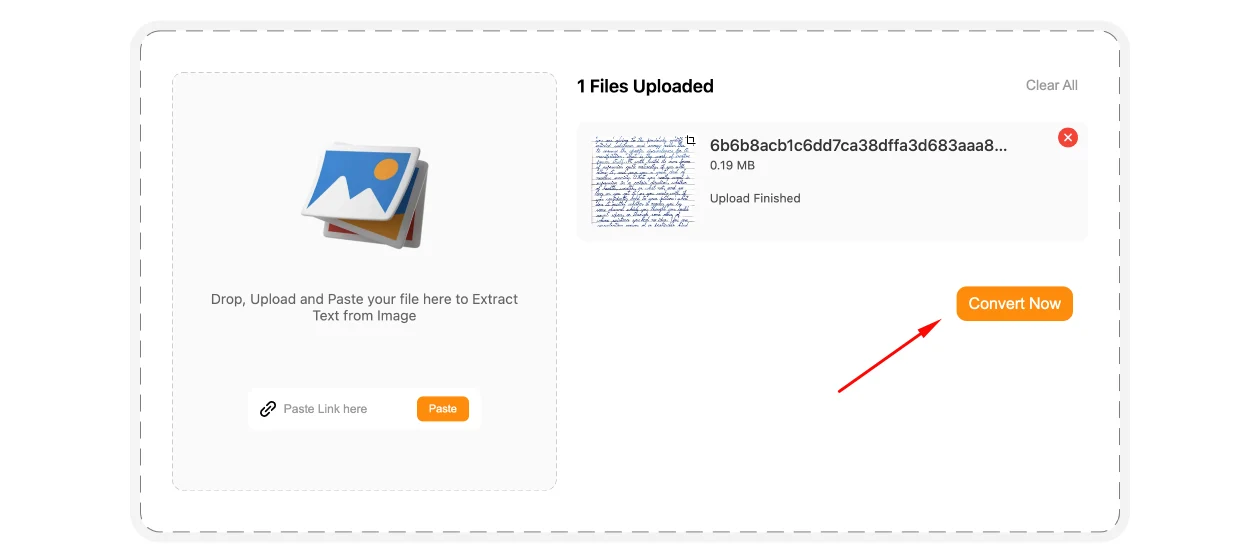
- Hit the ‘Extract’ tab once the file uploads. The text extraction process will start
instantly.
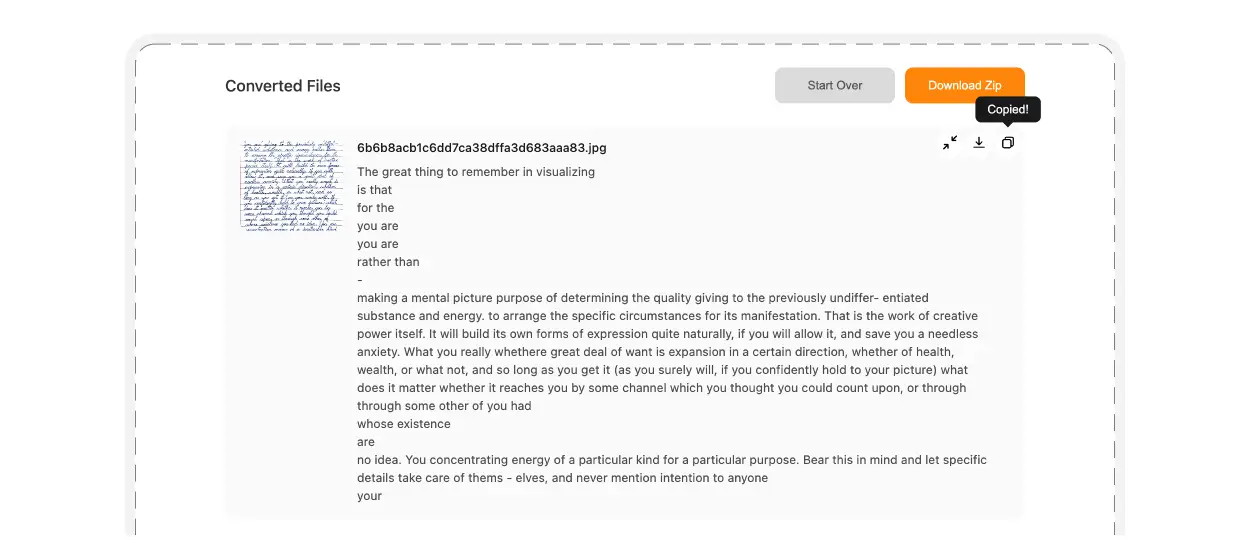
- All the text from the image will be extracted within seconds. You can edit any extracted
content in the output box, copy it into a separate file, or download it instantly.
Text Extraction Technologies and Tools
Text Extraction is the first phase of ETL, i.e., the Extract-Transform-Load process. In this step, the text extractors first identify the data that needs to be extracted from a file. It can be an invoice, a bank statement, a contract, or any other type of document.
Once the data is identified, the particular algorithms of that tool start extracting the text and compiling it in an editable format. Here are the techniques through which a text is retrieved from a file:
Optical Character Recognition (OCR)
OCR tools extract text from scanned images, PDFs, or documents using pattern recognition software. The extracted text is clean, editable, and easily downloadable. The Optical Character Recognition uses the following steps to complete the text extraction process:
- Image Acquisition - Recognising the file by a scanner to extract its text through OCR tools.
- Preprocessing - File preparation for text extraction, i.e., setting its alignment, eliminating spots, removing lines, etc.
- Text Recognition - Text is identified via pattern matching or feature recognition.
- Postprocessing - Converting extracted text into a machine-readable file.
Machine Learning (ML)
Machine Learning works even better through Machine Learning. Instead of only understanding characters, ML models can also recognise full words and even sentences. Once trained, the Machine Learning Model adapts to changes in text styles, layouts, and formatting, making the text extraction easier, faster, and efficient.
Natural Language Processing (NLP)
Unlike Optical Character Recognition and Machine Learning tools, the Natural Language Processing software also focuses on the meaning or context of a document. The NLP algorithms analyse the extracted text to improve the document’s formatting and accuracy. Also, it helps identify customers' sentiments in businesses, giving deeper insights into what they are thinking about their products.
Regular Expressions
To extract email addresses or phone numbers from a bulk of data, the Regular Expressions technology is used. This technology uses specific rules and patterns to identify a text in a scanned image or document and then retrieve the contextual data.
Text Extraction APIs
Text Extraction APIs use both OCR and machine learning algorithms to extract text from images efficiently. These APIs also integrate LLM-powered queries and answers to receive a structured text file.
Daily Life Applications of Text Extraction
Healthcare
Automated text extraction is widely used nowadays in multiple industries, and at the top, healthcare. Whether these are patient reports, medical history, or medicine billing, this advanced text extraction system helps convert manual data into digital files instantly.
Legal
Managing case files, court orders, and legal documents was previously a hectic task. With advanced text extraction tools, all the files can now be quickly digitised into editable documents with just a few clicks. You can easily search a client’s record, a legal article, or any specific detail within the extracted file and make changes where needed.
E-Commerce and Businesses
Managing catalogues, customer data, and order records manually is difficult for online businesses. However, with online text extraction tools, all this can be transferred to a digital document and organised with ease. Product details, customer reviews, or transaction records can be pulled out from documents or images, making the process easier and more efficient.